Web console
concise-web is a local web console for Concise. It shows the settings that apply to a project, edits the configuration files, runs pasted text through the real hooks, streams each hook call as it happens, and manages pattern packs.
The console is optional. The hooks work without it. It runs only when you start it, and by default it accepts connections from 127.0.0.1 only.
Install and start
The console is in the @yannelli/be-concise npm package and needs Node.js 24 or later.
npm install -g @yannelli/be-concise
concise-web --cwd /path/to/project
Without --cwd, the console serves the current directory. It starts a server on a free port, prints the address, and opens your browser:
Concise console: http://127.0.0.1:43117/#token=6f1c…
Press Ctrl+C to stop.
The #token= part is the access token for this run. The console moves it into the browser session and removes it from the address bar. Press Ctrl+C to stop the server.
From a checkout of the repository, run node bin/concise-web.mjs or npm run web instead.
Options
| Option | Result |
|---|---|
--cwd PATH | Serve the project at PATH. The default is the current directory. |
--all | Serve every project that the hooks have registered. See Watch every project. You cannot use it with --cwd. |
--port PORT | Use this port. The default is a free port that the system selects. |
--no-open | Print the address and do not open a browser. |
--remote | Also accept this machine’s IPv4 addresses and its Tailscale hostnames. See Security. |
update | Update the npm package and the plugin. See Update. |
update --check | Report what update would change, and change nothing. |
Watch every project
concise-web --allEach hook call registers its project in ~/.config/concise/projects/. With --all, the console reads that list and shows a project switcher in the sidebar. The switcher groups projects by git repository and labels worktrees. Projects whose folder no longer exists stay hidden until you select Show N missing.
While the hub runs, each hook call also appends its record to ~/.local/state/concise/projects/<hash>/records.jsonl, and the hub follows that file for every project. To see calls from before the hub started, keep the record file on at all times:
{
  "monitor": { "persist": true }
}
BEC_MONITOR_PERSIST=1 does the same for one session. Without --all, the console shows only the calls that arrive after it starts.
Pages
Overview
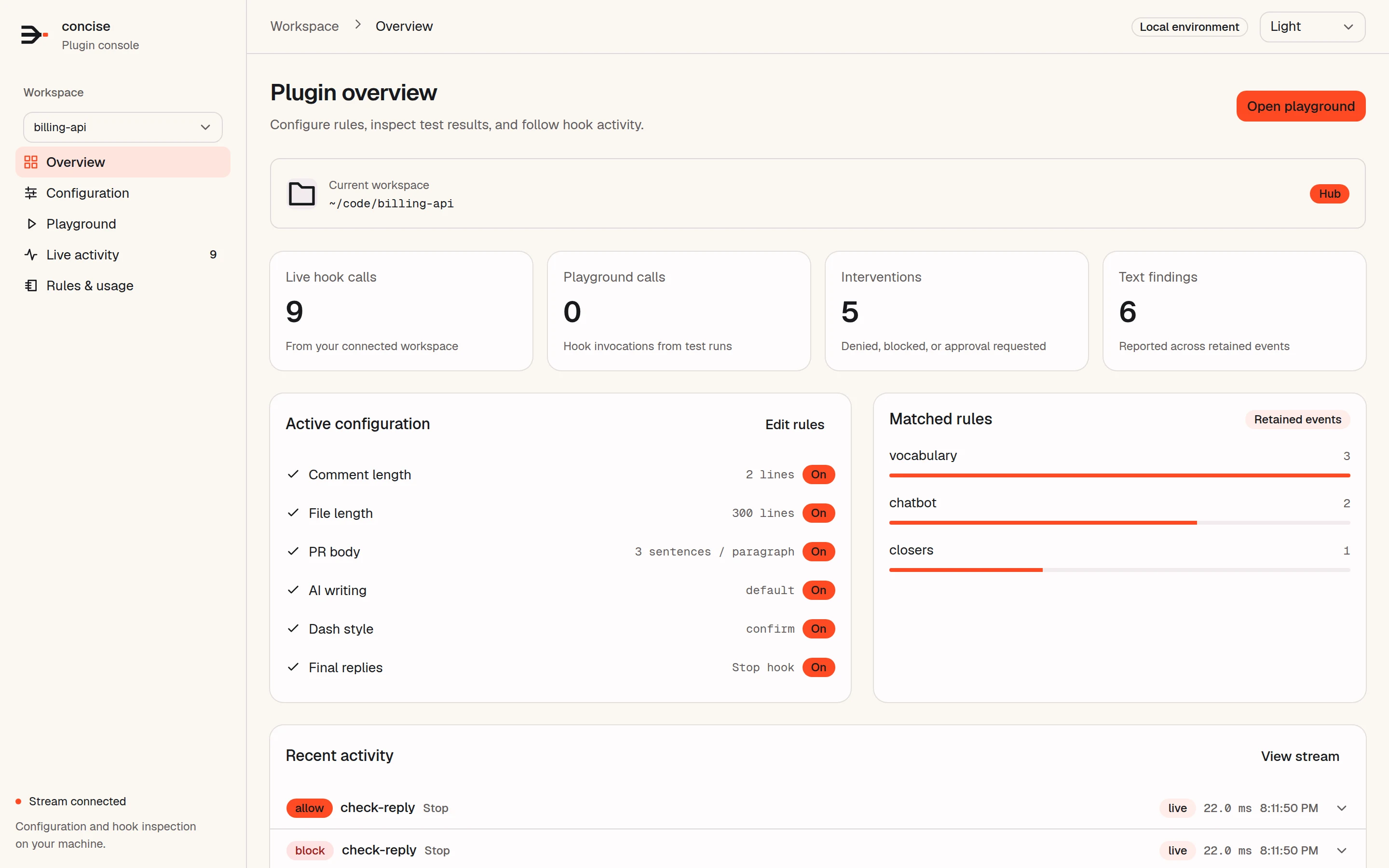
The first page shows the project path, a Hub or Local badge, and four counts: live hook calls, playground calls, interventions (denied, blocked, or approval requested), and text findings. Below them are the active limits, the six rules that matched most often, and the four most recent hook calls.
Configuration
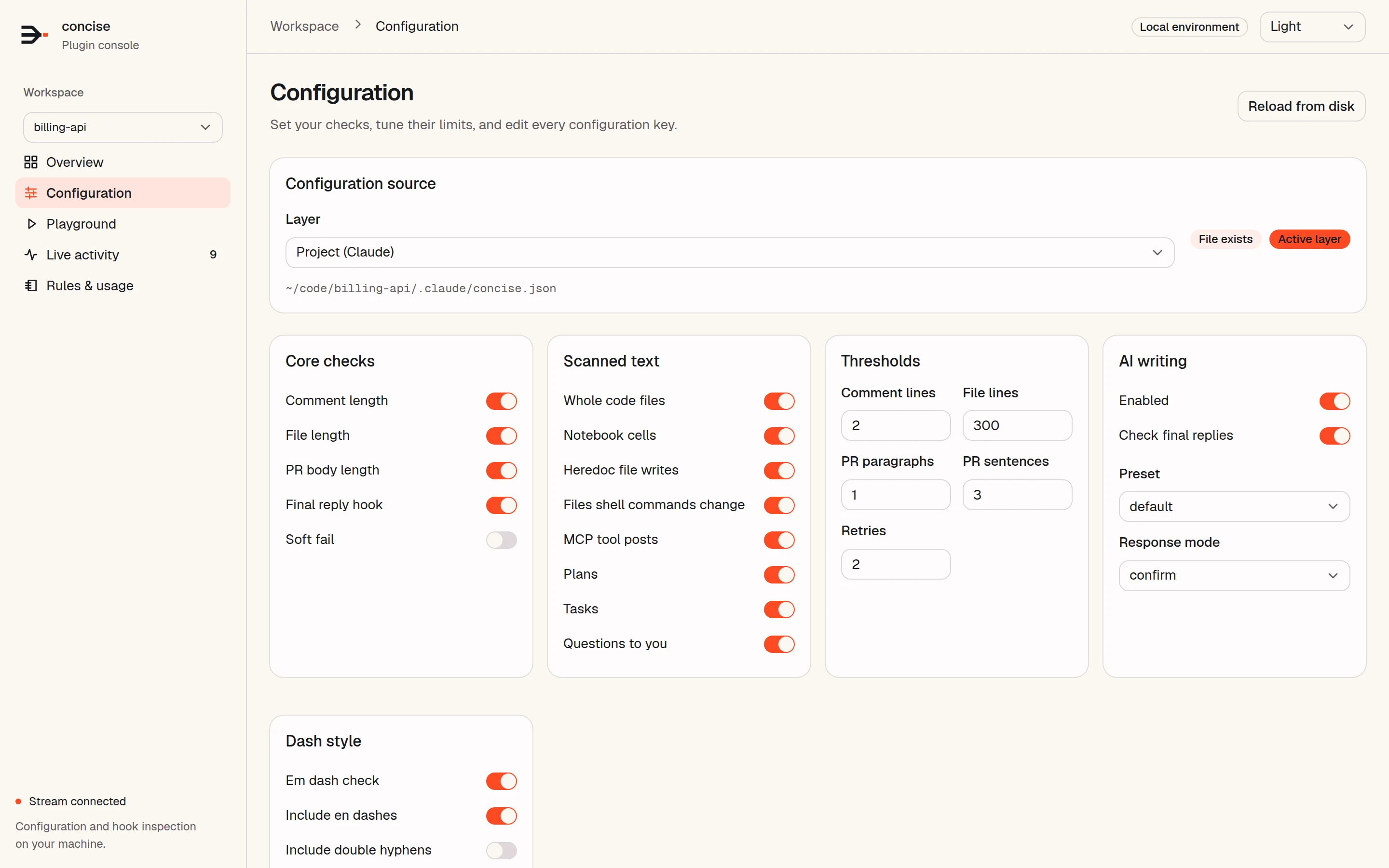
Select a layer to edit: the BEC_CONFIG_PATH file, a user file, or a project file for Claude Code or Codex. The test filter files ~/.claude/test-filter.conf and ~/.codex/test-filter.conf are also in the list. Change a switch or a number, or edit the raw JSON, then select Save configuration. If the file changed on disk after you opened it, the console refuses the save and tells you. Reload from disk reads the file again.
The reference section shows the effective settings, the built-in defaults, the BEC_ environment overrides that apply (variables with TOKEN in the name are left out), the registered hooks, and any problems with the files. The keys are described in Configuration.
Playground
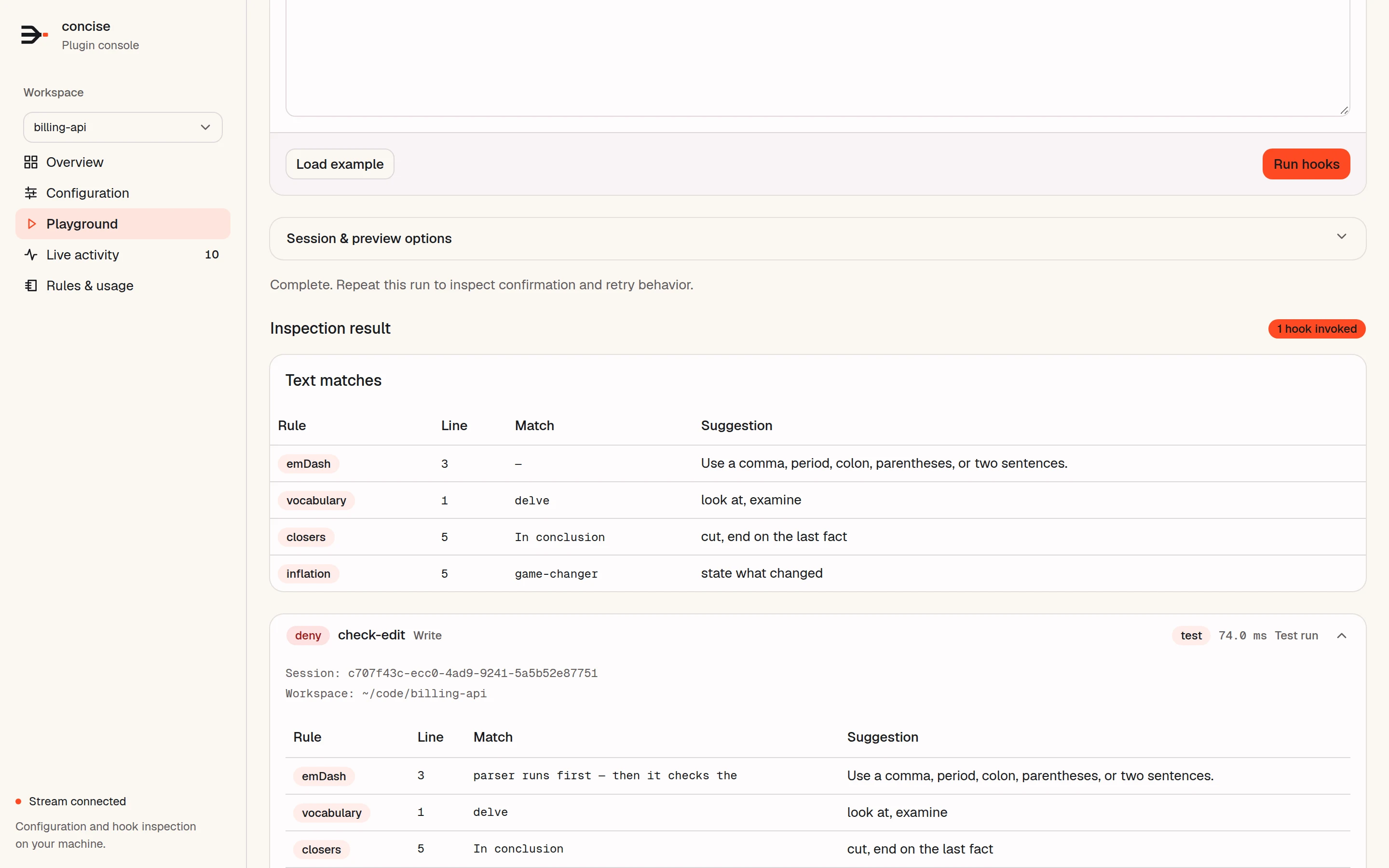
Paste text, select a tool or event (Write, Edit, MultiEdit, apply_patch, Bash, Stop, or raw JSON), and select Run hooks. The playground sends the call through the same hooks that your agent uses and shows each match, each hook decision, its timing, and the full JSON response.
- Run the same input again to see the confirmation and retry behavior. New session resets that state.
- A Bash command is inspected, not run.
- Session & preview options applies a configuration change to the test only. Nothing is saved until you save a layer on the Configuration page.
- The playground keeps its own retry state, so it does not affect your agent sessions.
Live activity
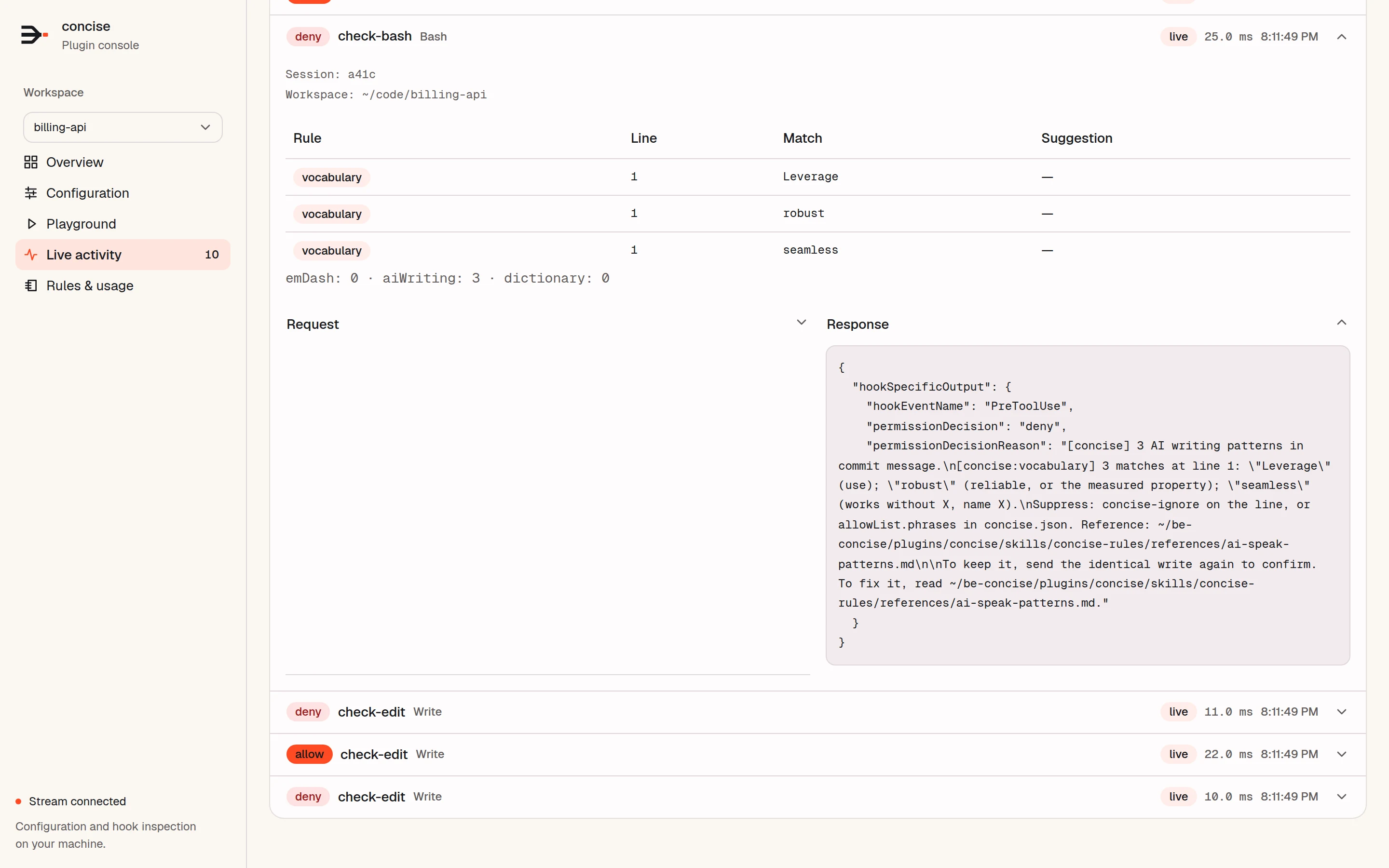
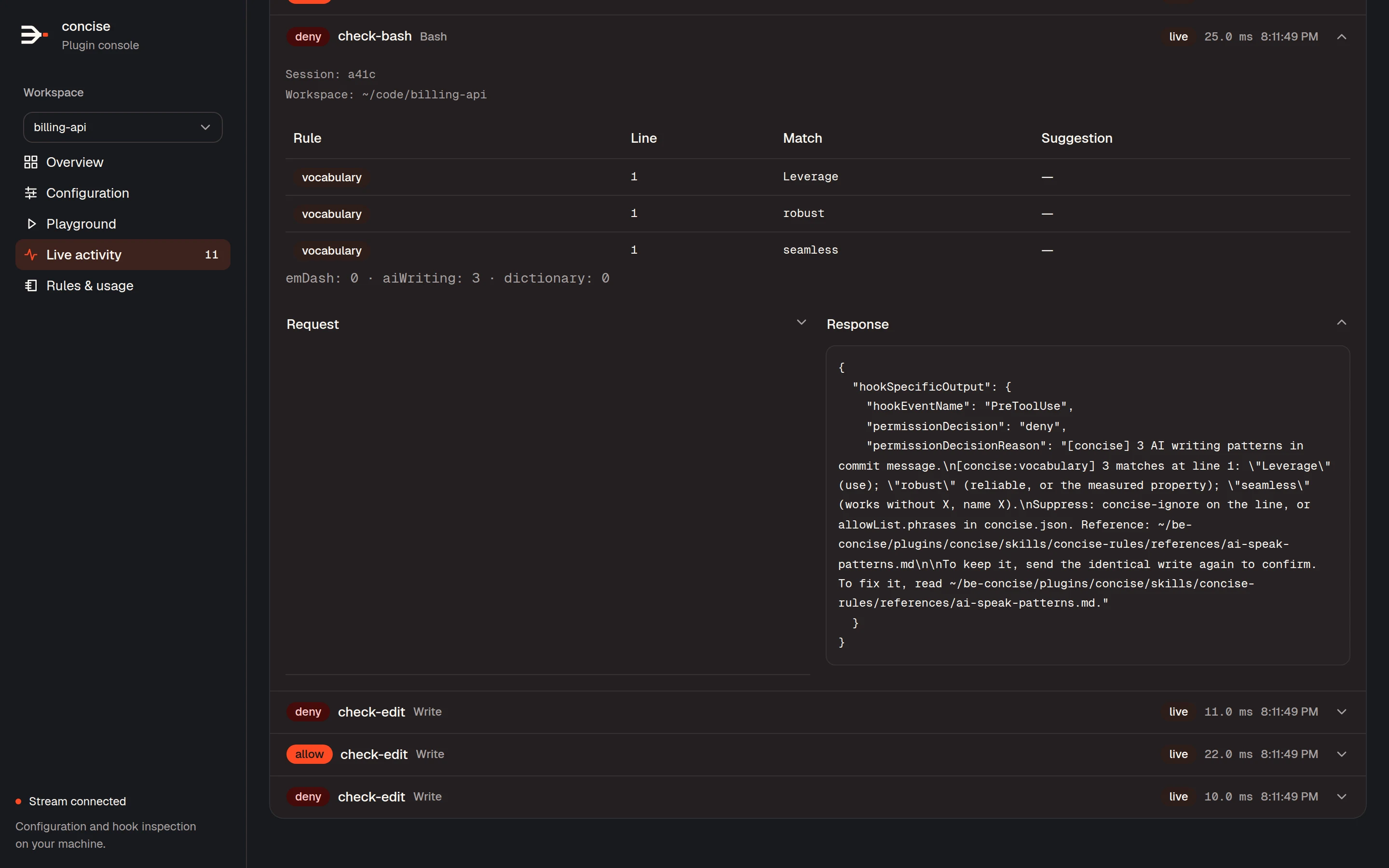
Each hook call from your agent appears here as it happens, with its decision, hook, tool, source (live or playground), and duration. Expand a call to see its session, its findings, the request that the host sent, and the response that Concise returned.
Filter by project (hub only), source, decision, hook, or session, or search the payloads. Export JSON downloads the calls that match the filters. Pause display stops new calls from moving the list. Clear history removes the calls, and in the hub it also empties the project’s record file.
The console keeps up to 500 calls per project, within 16 MiB, in memory. Stop the server to discard them.
Rules & usage
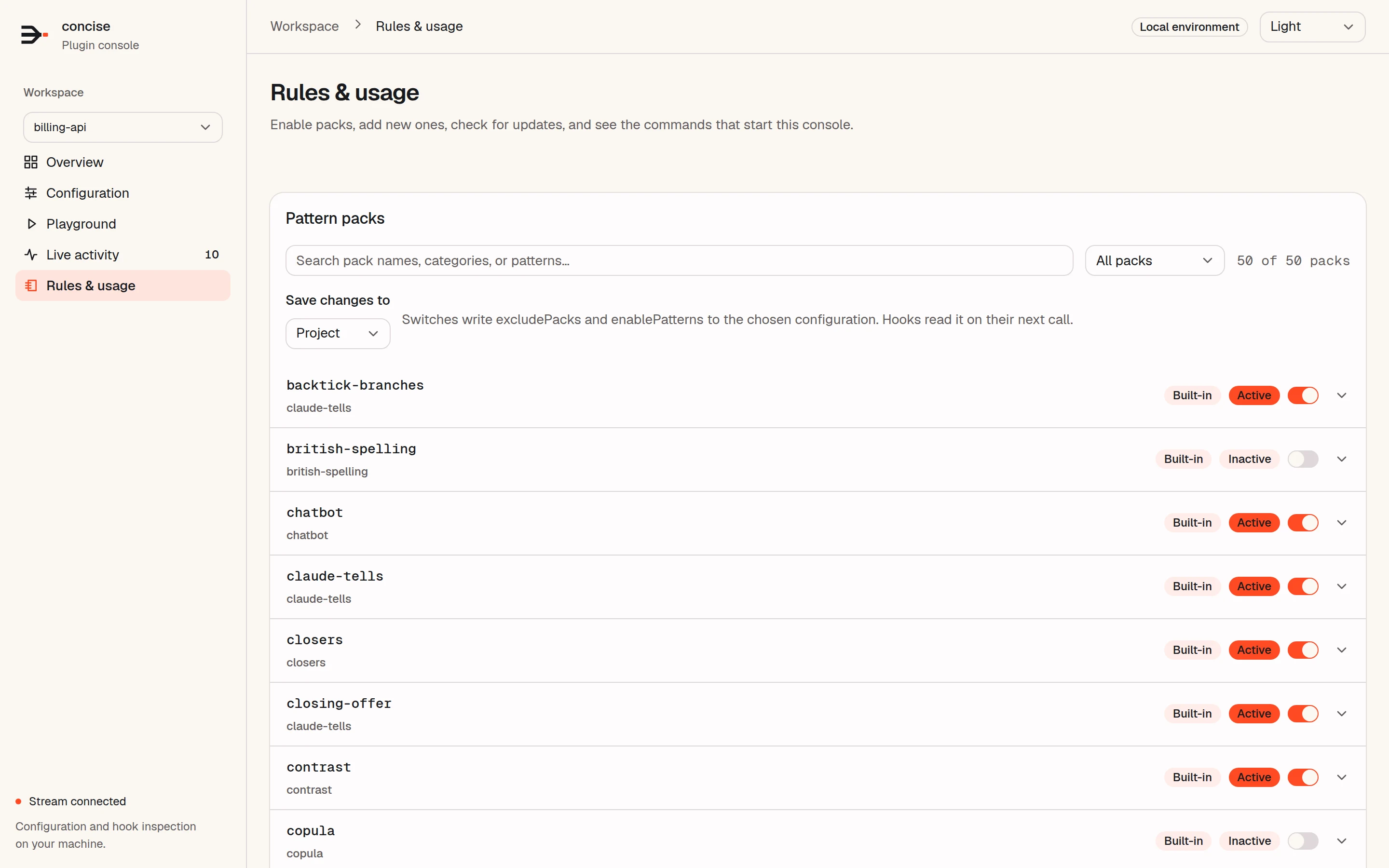
This page lists every loaded pattern pack. Use the switches to turn packs on and off. Under Save changes to, select Project to write .claude/concise.json in the project, or User to write your user file. Hooks read the change on their next call.
You can also add a pack from an https URL, a local path, or pasted JSON. Check for updates fetches each pack that was installed from a URL again, and compares the plugin version with the latest GitHub release. Pack files are described in Pattern packs.
Light and dark themes
Update
concise-web updateThe command does three things:
- It installs the latest
@yannelli/be-conciserelease from npm. From a git checkout, it skips this step; usegit pull. - It updates the
concise@be-conciseplugin in each of Claude Code, Codex, and omp that has it installed. - It restarts each running console on an older version, if that console is the main process of a systemd user service. For other consoles, it tells you to stop them and start them again.
Run concise-web update --check first to see what would change.
Data and privacy
The console sends no data off your computer, except when you ask it to:
- It fetches a pack URL that you enter.
- Check for updates reads release data from
api.github.com. concise-web updaterunsnpmand theplugincommands of your agent CLIs.
While a console runs, each hook posts its record to the console on 127.0.0.1. The record file holds the full text of each checked call, which can include secrets that were in that text. Keep it private. BEC_MONITOR_DISABLED=1 stops the project list, the record file, and the console feed.
The full policy is in PRIVACY.md.
Security
- Every API request needs the access token from the start-up address. The console compares it in constant time.
- The console rejects requests with an unexpected
HostorOriginheader, sets a strict content security policy, and cannot be framed by other sites. - With
--remote, the console listens on all IPv4 interfaces and also accepts this machine’s IPv4 addresses and Tailscale hostnames. Anyone who has the address with the token can change your configuration, so share it only on a network that you trust.